The Best Tool for Monitoring System Resources: btop
// 工具 · 2024-12-12 · 阅读 10 分钟 · 74 次阅读
When managing a Linux system or server, monitoring system resources is crucial. Common command-line tools like top and htop allow us to view CPU, memory, disk usage, and process status. However, if you're looking for a powerful and more modern alternative, btop is definitely a tool worth recommending.
What is btop?
btop offers richer features and a more intuitive user interface than traditional top or htop. It supports real-time display of CPU, memory, disk, network traffic, and other data, with a beautifully color-coded interface that makes information clearer.
It's more of an interactive resource monitoring dashboard than just a command-line tool.
Whether you're a system administrator, developer, or a regular Linux user, btop can help you easily monitor and analyze your system.
Key Features of btop
1. Real-time Resource Monitoring
btop displays the real-time usage of various system resources, including but not limited to:
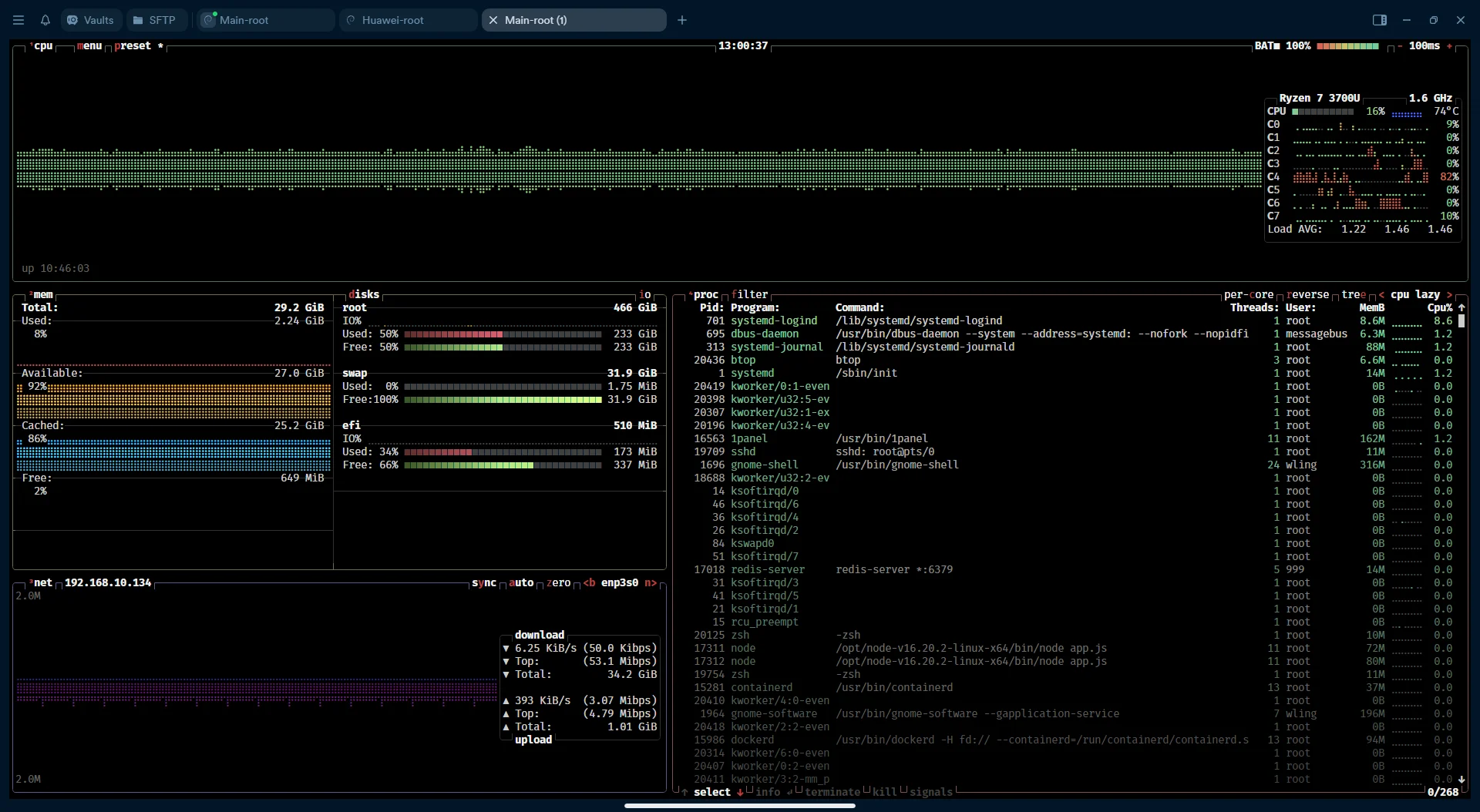
- CPU: Shows the real-time usage of each core, helping you identify system load and bottlenecks.
- Memory: Displays current system memory and swap space usage, helping you determine if memory is sufficient.
- Disk: Shows real-time disk read/write speeds, allowing you to check storage device performance.
- Network: Provides bandwidth usage for each network interface, helping you analyze network traffic.
- Processes: Lists processes by CPU or memory usage, supporting process management and priority adjustment.
2. Beautiful Interface Design
Compared to traditional command-line tools, btop's interface is much more modern. It uses colors, bar charts, and dynamic graphs to help you quickly identify resource usage. The process list is clearly presented, and each category (such as CPU, memory, disk, etc.) has its own display area, making operation very intuitive.
3. Interactive Operation
btop allows users to interact using both the keyboard and mouse. Within the interface, you can quickly switch between different views using the arrow keys, view detailed process information with the Enter key, or directly click on a process with the mouse to perform actions.
For example, you can kill a process directly or adjust its priority. btop provides a variety of keyboard shortcuts for quickly executing different operations.
4. Multi-platform Support
btop not only supports Linux distributions but also runs on macOS and Windows. This makes it a cross-platform resource monitoring tool, especially useful for developers and operations personnel.
5. Highly Customizable
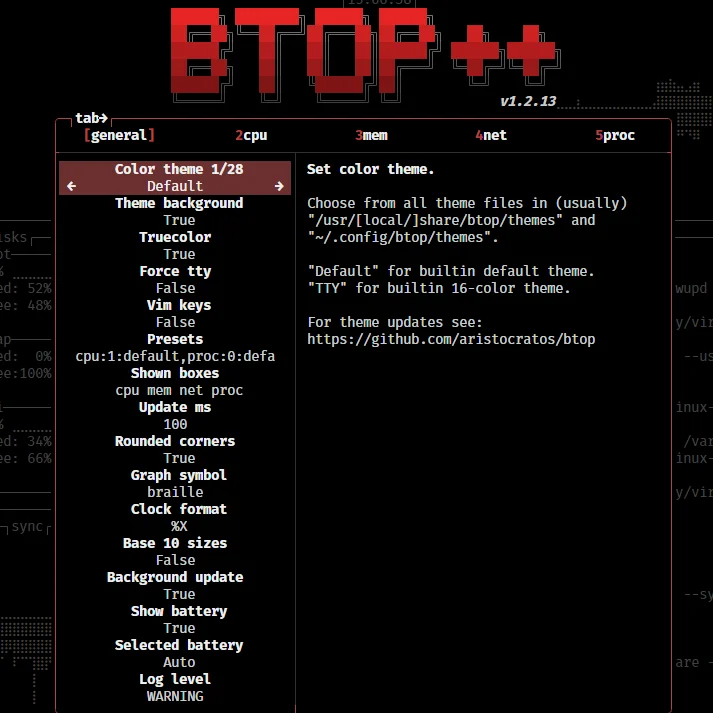
btop comes with a detailed configuration file, allowing you to customize color themes, display content, refresh rate, and more to perfectly suit your habits. Whether you prefer a clean interface or need more monitoring details, btop can meet your needs.
So Why Choose It?
1. Modern and Easy to Use
Compared to traditional top and htop, btop's interface is more intuitive. It uses graphical elements and color coding to help you identify system bottlenecks more quickly. And with keyboard and mouse interaction, operation is smoother and more efficient.
2. Enhanced Features
While htop is already a very powerful resource monitoring tool, btop offers more display options, especially regarding disk and network monitoring details. These details are particularly important for professional users like developers and operations staff.
3. Performance and Efficiency
btop is carefully optimized to run smoothly even in high-resource environments. Its real-time data refresh is very efficient, ensuring you always have the latest system status.
4. Cross-platform Support
For users who need to switch between multiple operating systems, btop offers great convenience. Whether you're on Linux, macOS, or Windows, it consistently provides a high-quality experience.
How to Install btop?
btop supports multiple installation methods. I won't go into them all here—just check the official documentation~
https://github.com/aristocratos/btop?tab=readme-ov-file#installation